Activity Log
The activity log records every significant action taken within your team. Use it to track who did what and when.
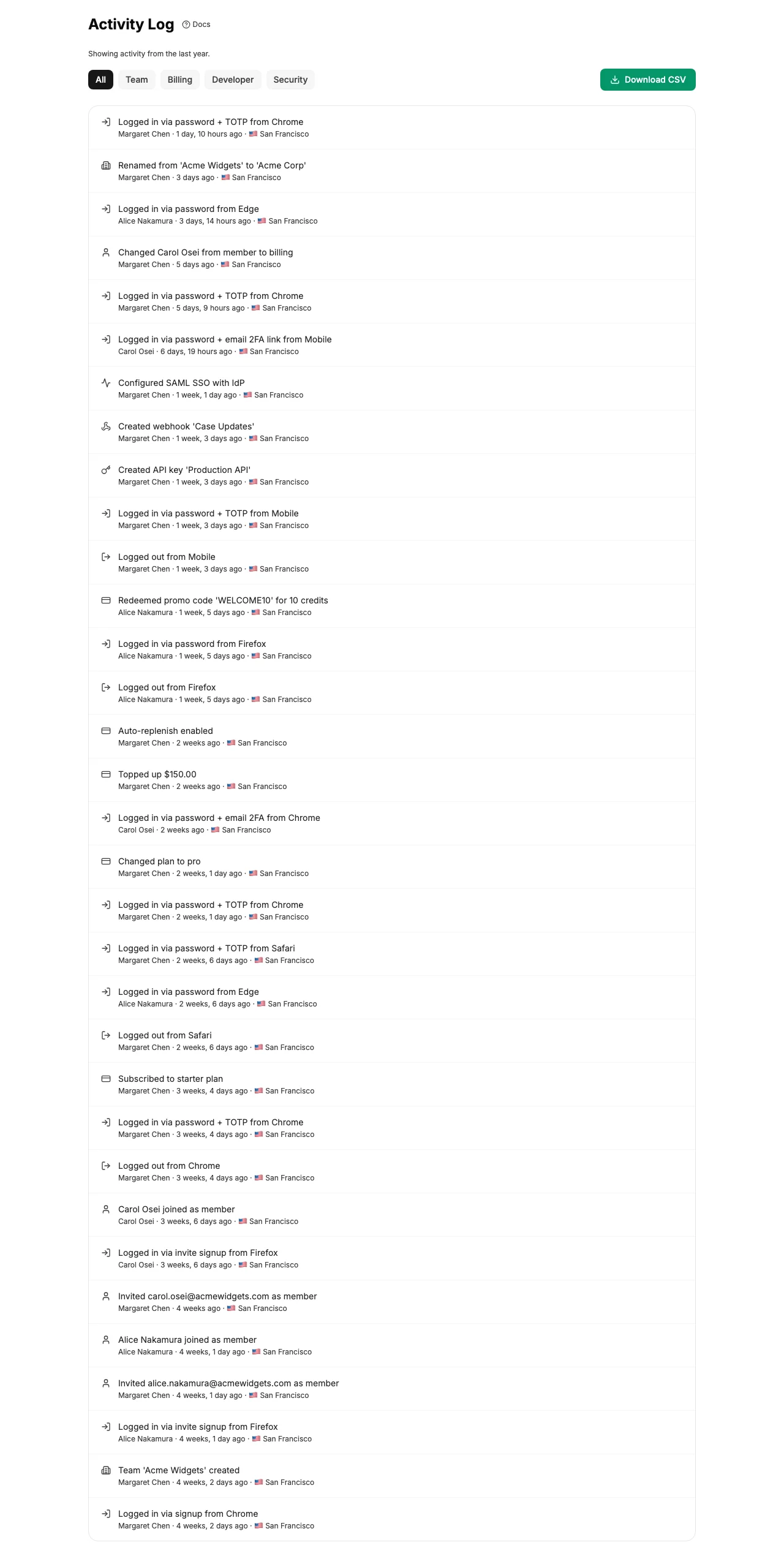
Accessing the Activity Log
Navigate to Settings → Team → Activity. The activity log is only visible to users with the Lead role.
Event Categories
Events are organized into four categories. Use the filter buttons at the top of the page to focus on a specific category:
Team
Member invited, member joined, member removed, role changed, team name changed, invitations sent or cancelled.
Billing
Plan changes, credit top-ups, auto-replenish updates, promo codes redeemed.
Developer
API key created or revoked, webhook endpoint created, updated, or deleted.
Security
Login/logout events, passkey created or deleted, passkey recovery used.
Event Details
Each log entry includes:
- A description of the action
- Who performed it (actor name)
- Relative timestamp (e.g., "2 hours ago")
- Category icon for quick visual scanning
The log displays 50 entries per page with previous/next pagination. Category filters are preserved when navigating between pages.
Note: Audit log entries are immutable - they cannot be edited or deleted by anyone, including Leads.