Case Lifecycle
Every verification case moves through a series of statuses from creation to resolution. Understanding these helps you manage cases effectively.
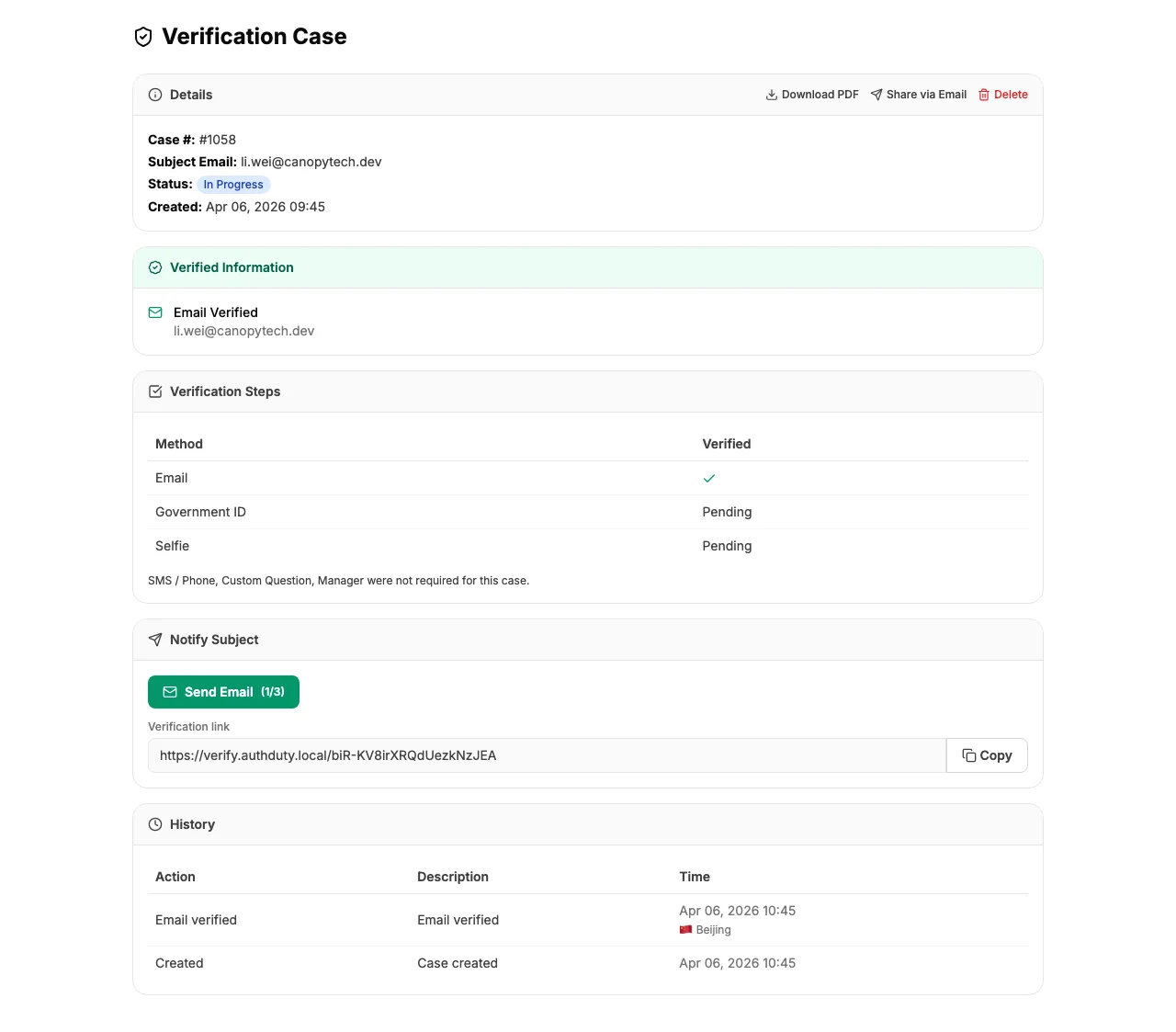
Case Statuses
Pending
The case has been created but the subject hasn't started yet. The verification email has been sent.
In Progress
The subject has started the verification process and completed at least one step.
Closed
All verification steps have been completed successfully. The subject's identity has been verified.
Failed
A verification step failed - for example, a government ID was rejected or a selfie didn't match.
Expired
The subject didn't complete the verification within the allowed time window.
Status Transitions
Cases move through statuses automatically based on subject actions:
- Pending → In Progress - when the subject completes their first verification step
- In Progress → Closed - when all methods are completed successfully
- Pending or In Progress → Failed - when any step fails verification
- Pending or In Progress → Expired - when the case reaches its expiry time without completion
Note: Status transitions are final. A closed, failed, or expired case cannot be reopened. If you need to re-verify someone, create a new case.
Notifications
If your team has webhooks or Slack configured, you'll receive notifications when cases close or fail. This lets your team respond promptly without monitoring the dashboard.