Creating Cases
A verification case is a request to verify someone's identity. You choose which methods they need to complete, and AuthDuty handles the rest.
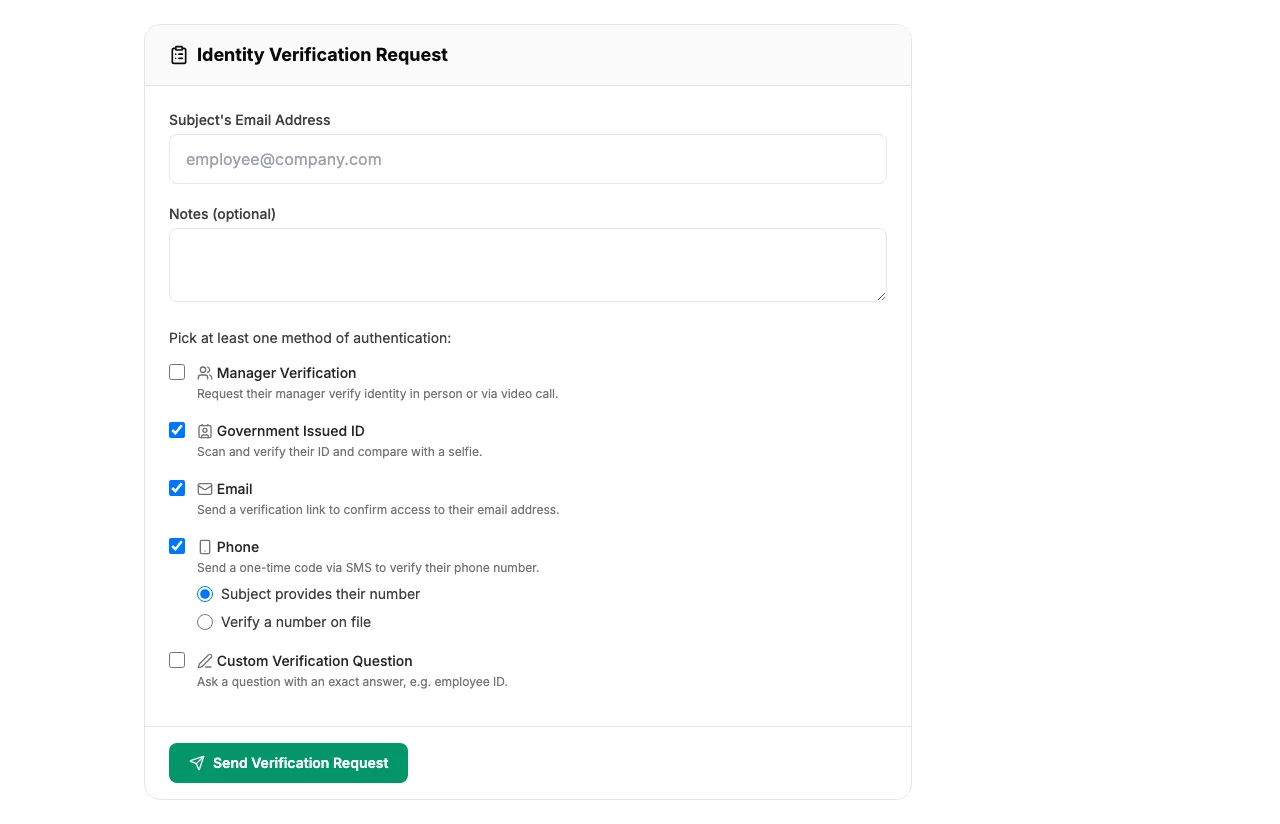
Creating a New Case
- Click New Case from the dashboard.
- Enter the subject's email address. This is the person who will be asked to verify.
- Select one or more verification methods. You can combine methods - for example, email + SMS + government ID for a high-security verification.
- For certain methods, provide additional details:
- SMS - enter the subject's phone number
- Custom Question - write the question and expected answer
- Manager - enter the manager's email address
- Click Create Case.
The subject immediately receives an email with their verification link. Each case has a unique URL that can't be guessed or shared.
Case Dashboard
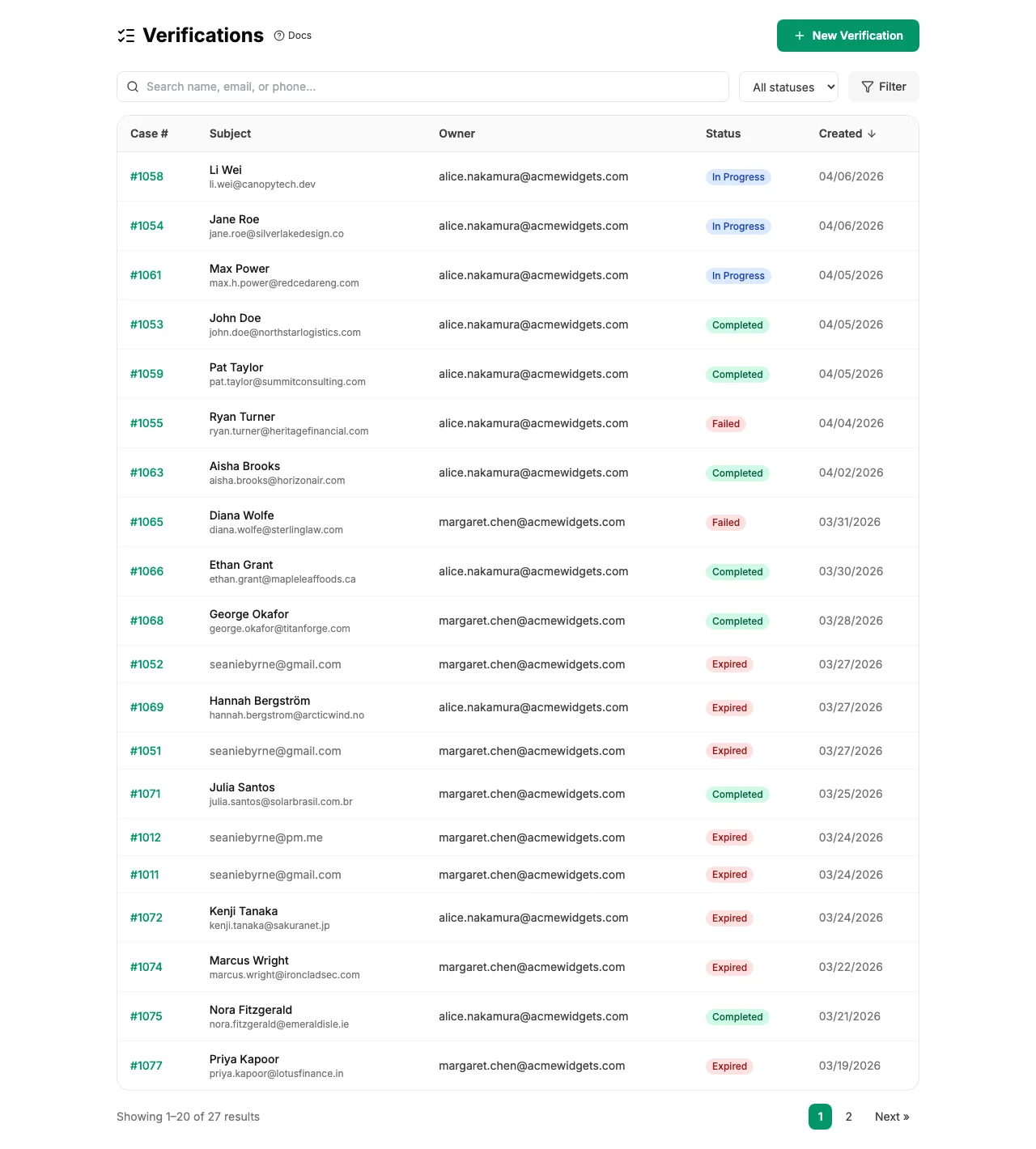
Your dashboard shows all cases for your team in a sortable table. Each row displays:
- Subject's email address
- Current status (pending, in progress, closed, failed, or expired)
- Verification methods selected
- Date created
- Who created the case
Click any case to open the detail view with the full timeline and audit history.
Credit Usage
Each case uses credits from your team's balance. The cost depends on the verification methods selected - simple methods like email cost less, while government ID and selfie cost more. See Credits & Top-Up for pricing details.